

Imagine you have this dashboard.
This is the Born2Cycle monthly finance snapshot.
Our analysts rebuild it every month, by hand.
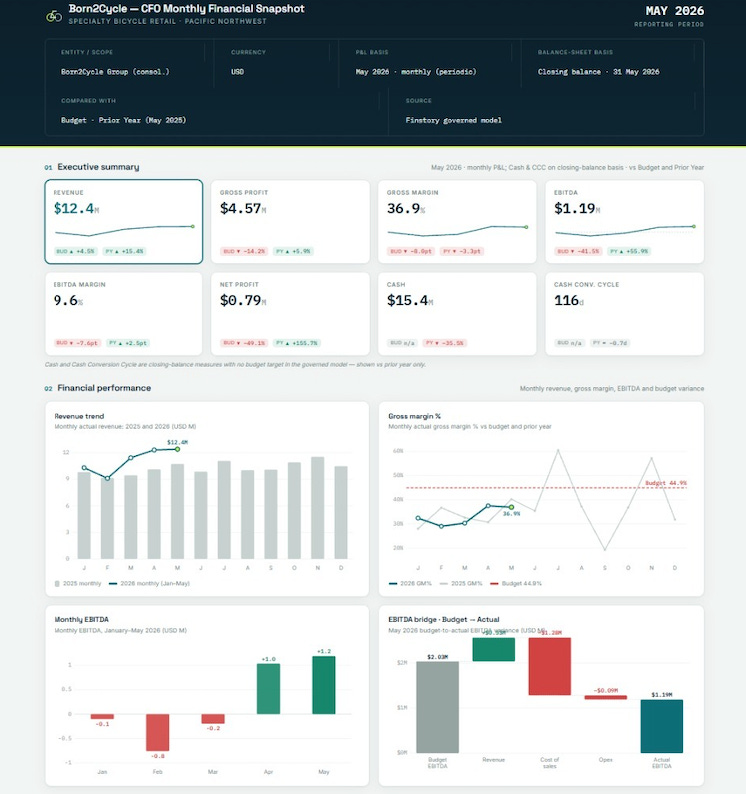
But if you connect Claude to your ERP and ask for it.
You’ll get a snapshot. The numbers will be right, straight from the source system, every figure traceable. But it won’t be this dashboard. And next month you’ll get a third version… different metrics, different layout, different comparisons, and different charts.
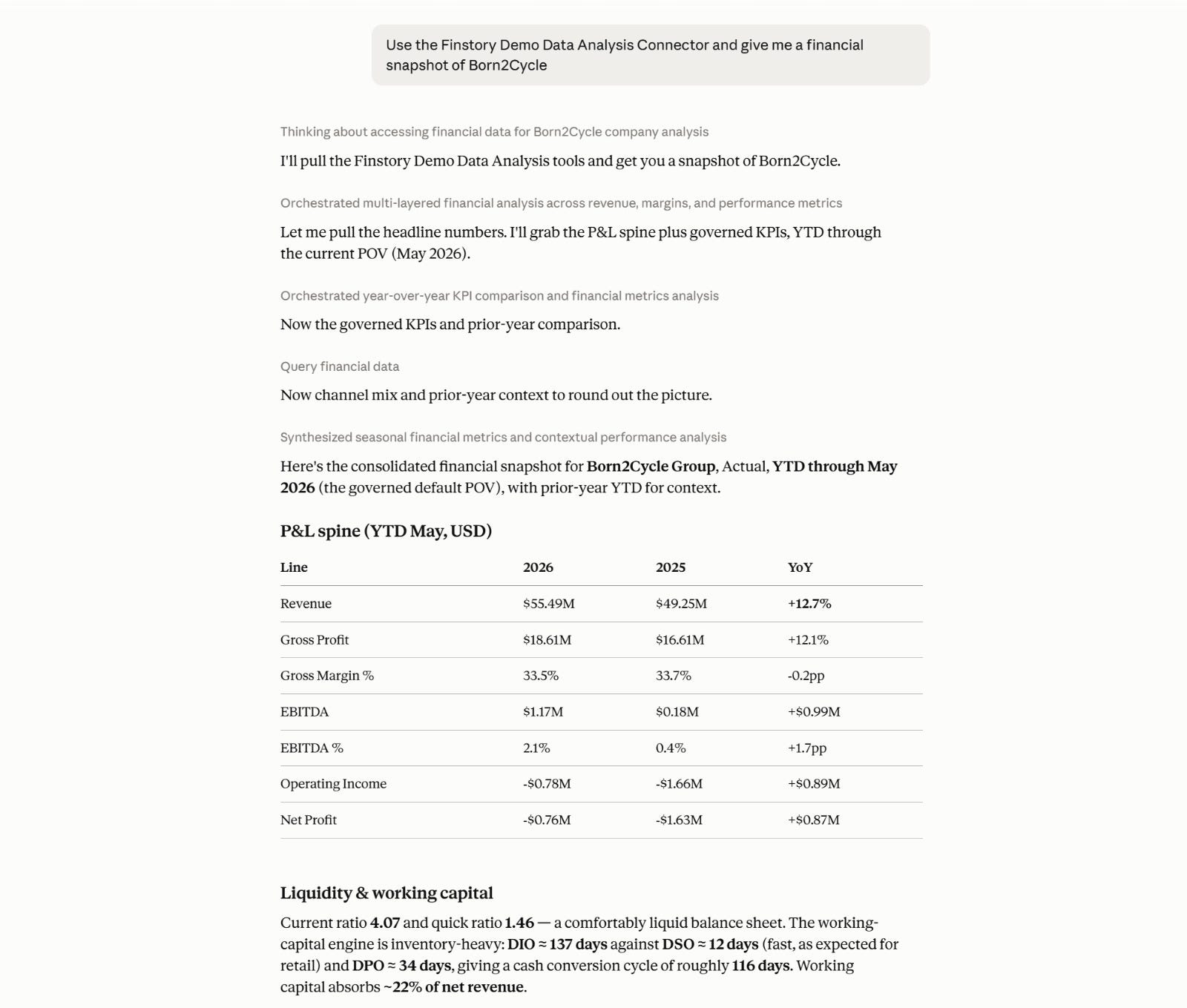
Nothing wrong, exactly.
Just never the same, and now you have months you can’t put side by side.
The problem is Claude can read your data. It can’t read your judgment.
And that’s exactly why every CFO must build skills.
You can build a skill that can understand your company.
The skill is not a better prompt. It’s a container for your judgment, applied the same way every month, without you in the room.
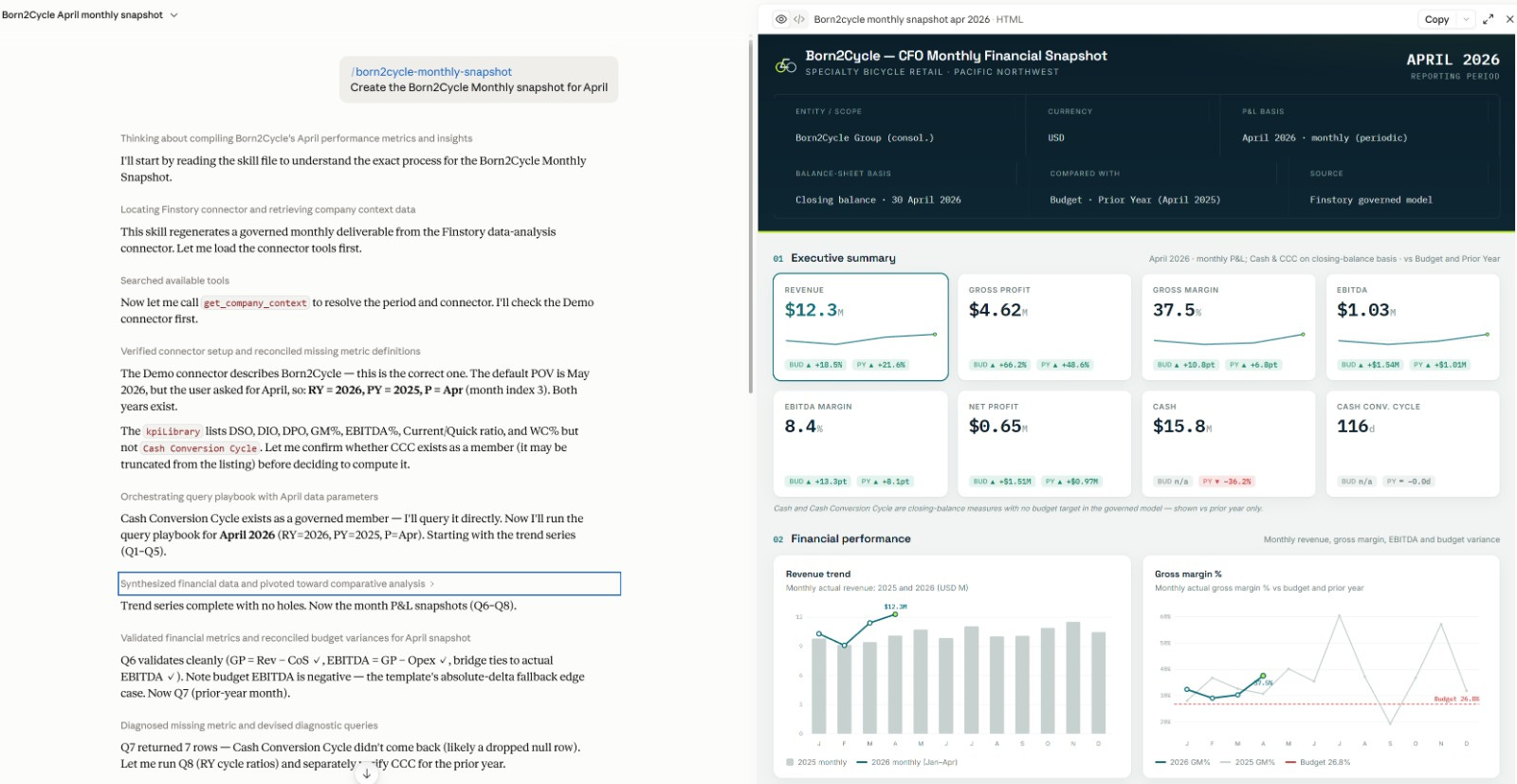
Let me show how to build your own CFO skills in Claude.
Read on.
Build your own CFO skill in Claude
Step 1: Connect your systems
Most of you don’t have a NetSuite MCP server ready, so I’ve set up a demo one you can use for free. It’s our Finstory server, serving real NetSuite data from Born2Cycle.
Everything below runs today, on real multi-entity data, without touching your systems.
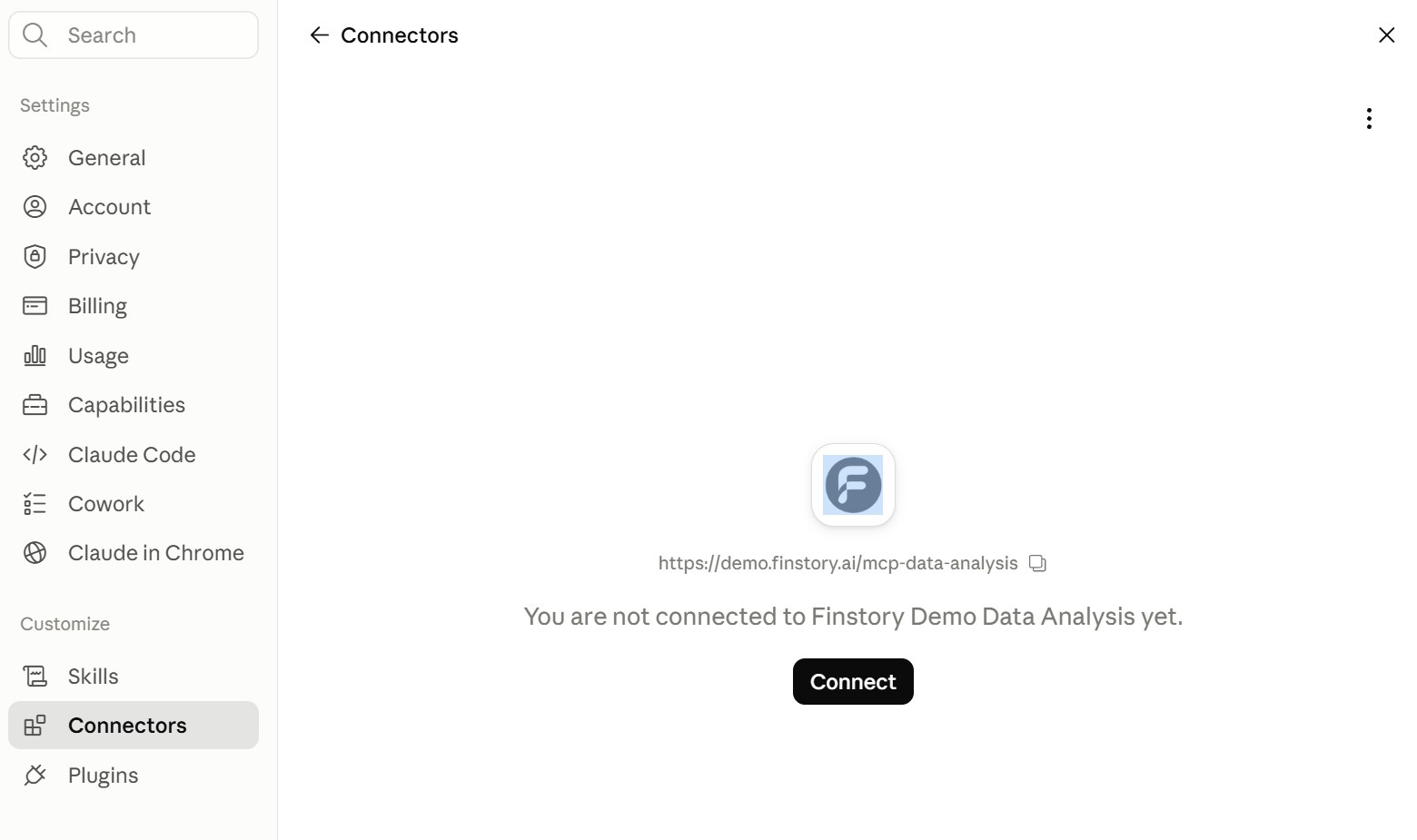
In Claude, go to Customize, then Connectors, and add this one:
Finstory Demo Data Analysishttps://demo.finstory.ai/mcp-data-analysis
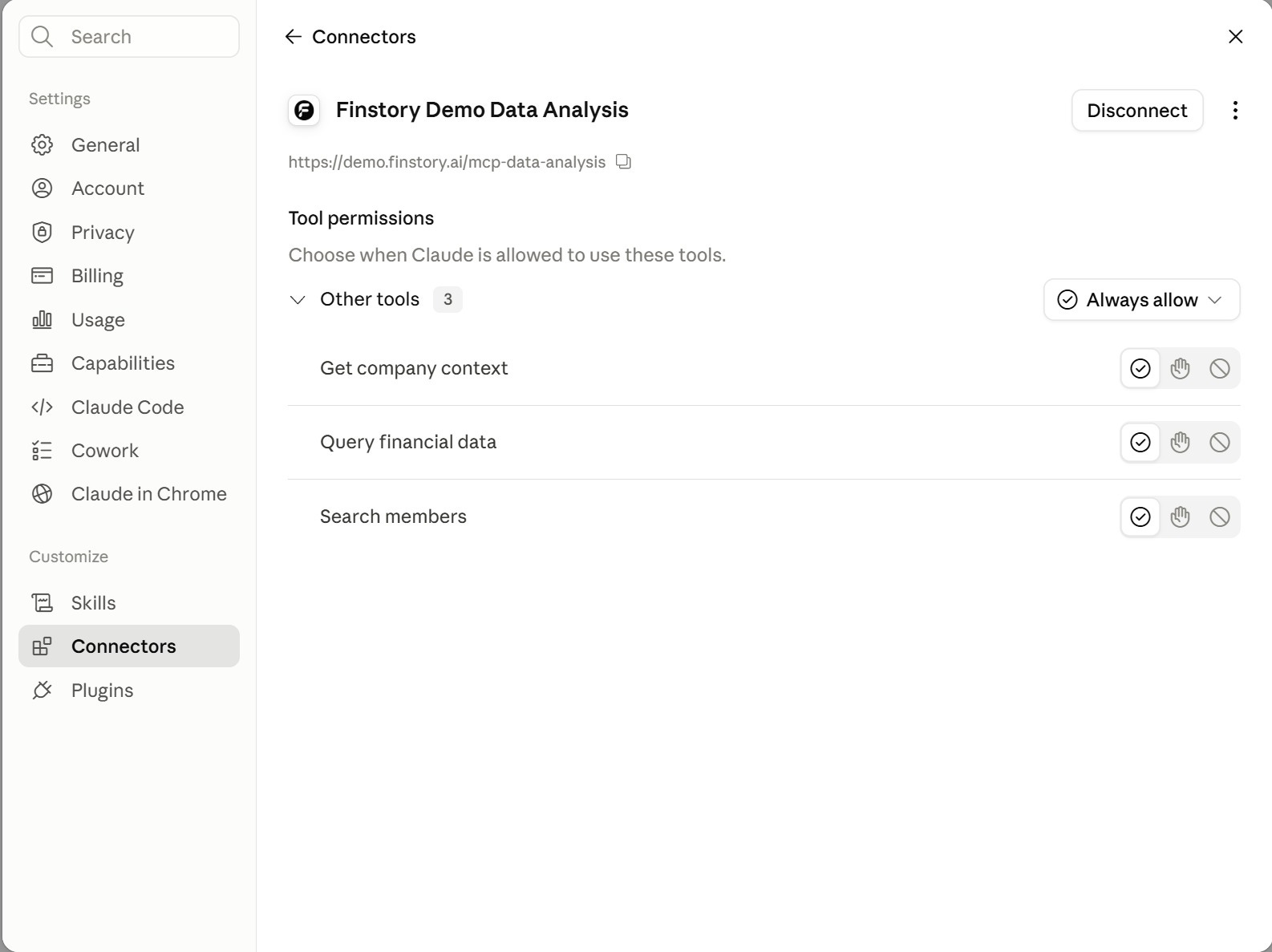
Click Connect.
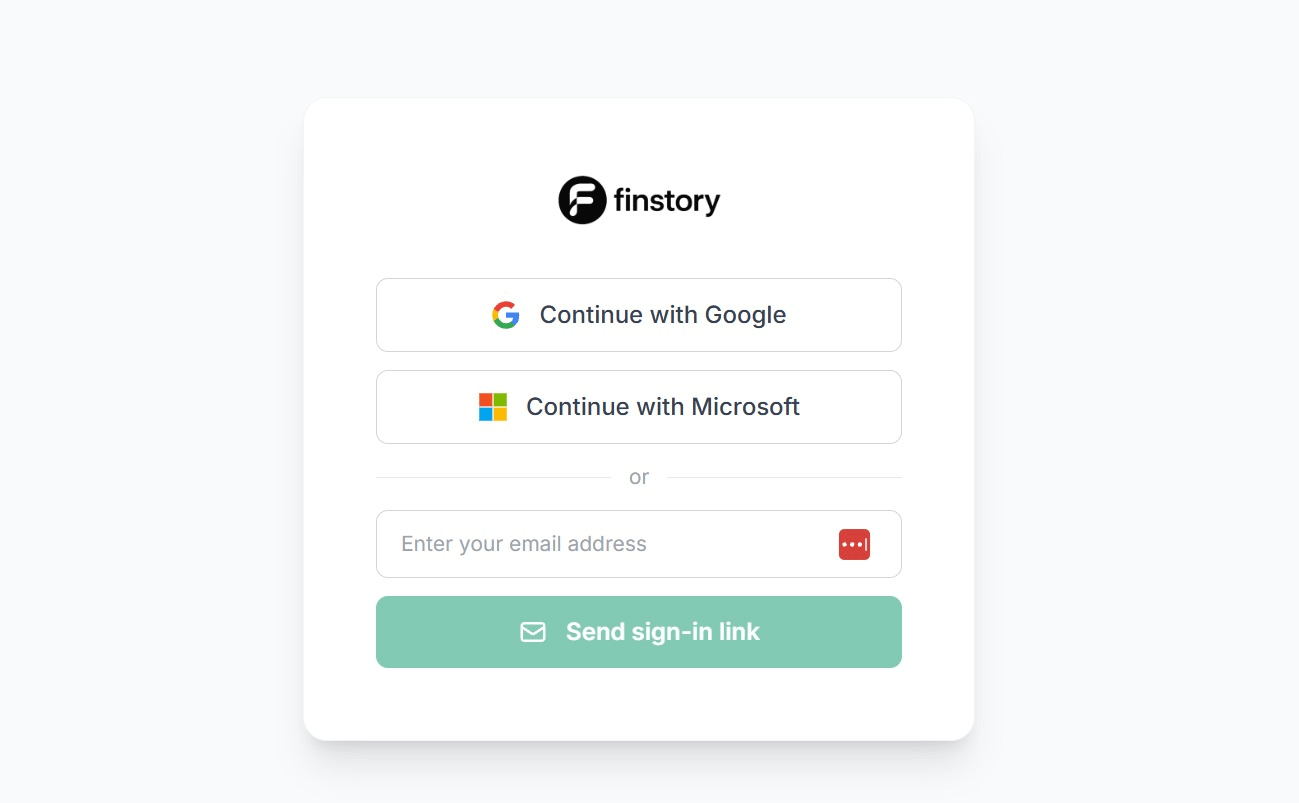
Sign in with any Google or Microsoft account, or use the one-time sign-in link.
Click Allow access, and Claude connects to the Born2Cycle demo server and dataset.