

Imagine it’s the monthly budget review, and you’re the CFO.
Operating expenses came in over budget.
Leadership asks the obvious question: who overspent?
You open the report and can’t tell.
A big share of discretionary spend sits in Miscellaneous. A few departments show savings you don’t believe. One supplier invoice belongs to last month, so this month looks worse than it was.
So the digging starts.
Hundreds of transactions.
Supplier lookups.
Pivot tables.
Emails to budget owners who reply on Thursday.
A few days later you have an explanation.
Then someone asks, “Where does that number come from?”
You can’t trace it to a transaction.
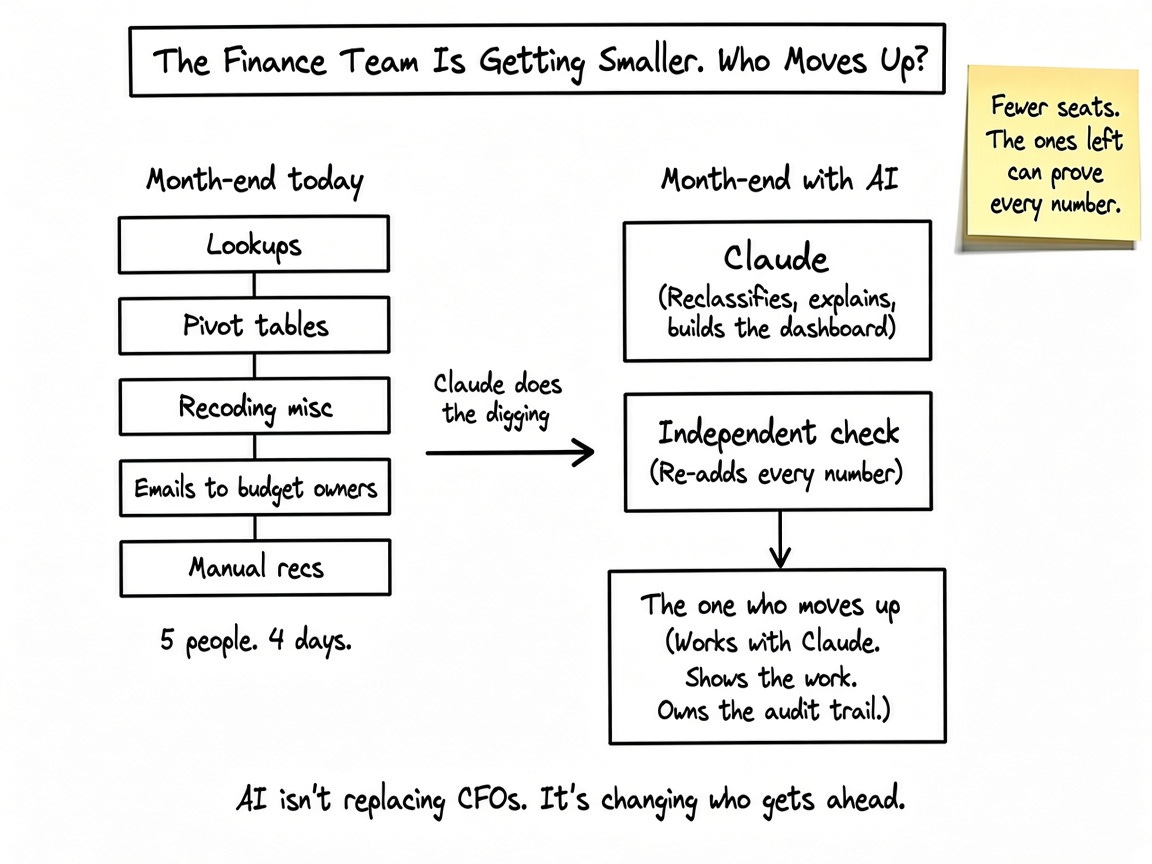
This kind of work is also changing.
Finance teams are likely to get smaller as it gets automated. The people who learn to work with Claude and AI are the ones who will move up.
Today, Claude does the digging. You give it your budget, your actuals, and your invoice list, and paste one prompt. You get back:
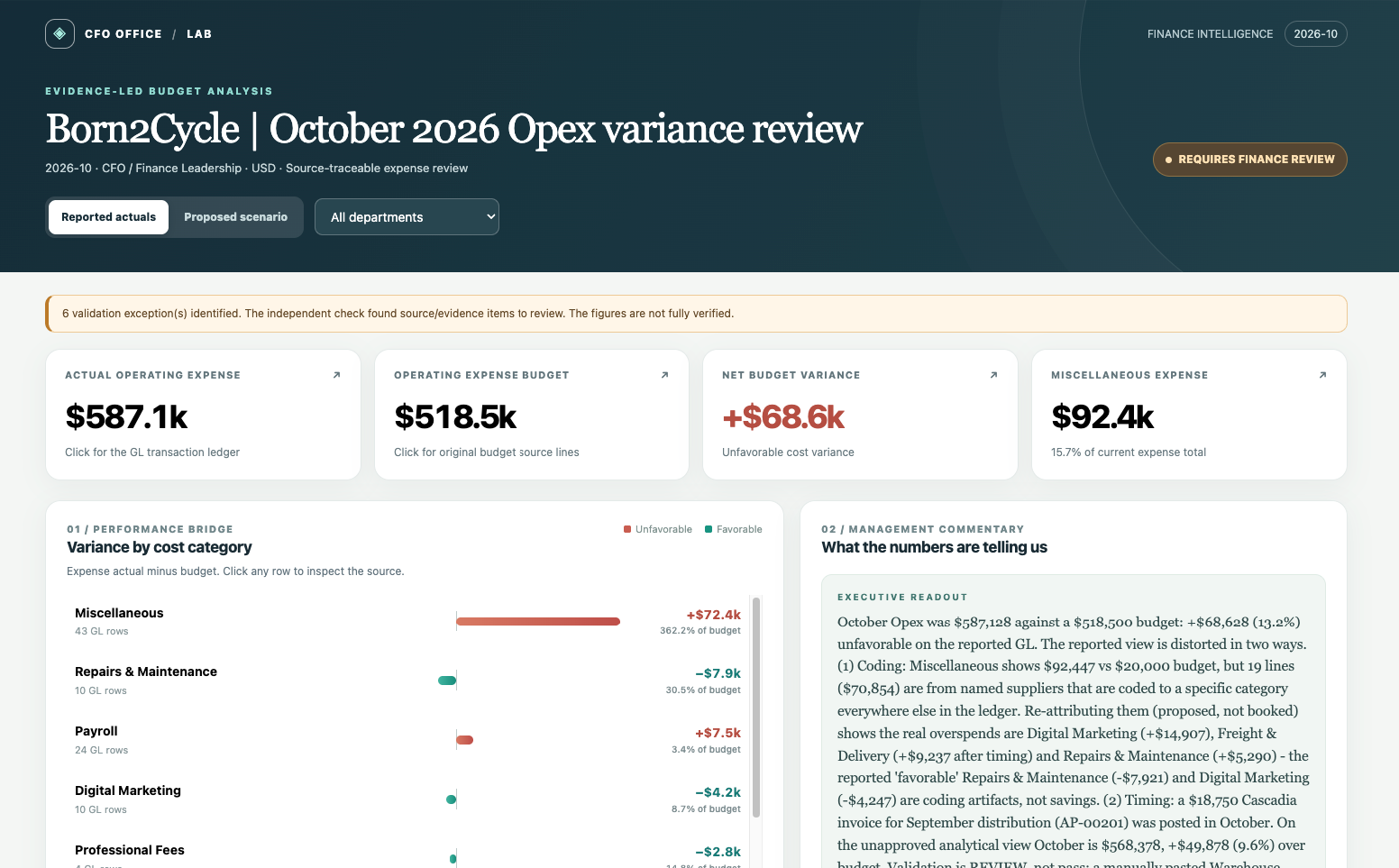
a dashboard where you click any number and land on the transaction behind it
a proposed view that moves Miscellaneous spend where it belongs, flags invoices booked in the wrong month, and separates real overspend from accounting noise
an independent check, run by a separate script, that recalculates everything from the source data
Your books stay untouched. Everything Claude changes is a proposal you review. AI isn’t replacing the CFO here. It does the digging, and you make the call.
In our test, the check caught a $7,250 error.
The report then said “requires finance review” instead of pretending to be clean.
Open the live dashboard and click around before you build your own.
Why the audit trail matters more than the analysis
Anybody can ask Claude to sort expenses.
Many CFOs have tried, and many got numbers they could not defend.
Trust is what you are really buying.
So we built the trail first. It works in four parts:
Your original numbers never change. The ledger stays exactly as exported.
Every change is a proposal. Each move comes with its reason, and it sits in a log you can read.
Every number is clickable. Pick one and you land on the transactions behind it.
A separate check re-adds everything. It is a script, not Claude. If anything is off, the report cannot be stamped “verified.”
Anything Claude cannot prove stays flagged as unknown.
It does not fill the gap with a guess.
You do not have to take Claude’s word for anything.
You can check it, one number at a time.
Let’s dive in.
How CFOs can investigate budget variances with Claude and trace every number to the source
Download the explain variance skill and test files first
