

Imagine your board meeting starts in 3 hours.
The CEO wants an updated cash position. Treasury is asking if you’re breaching covenants next quarter. FP&A is still reconciling yesterday’s numbers.
And your latest cash flow model is already wrong.
This is the exact moment finance breaks… not because you don’t know the numbers, but because the system can’t move at decision speed.
Below is a screenshot of what you can achieve with a single prompt.
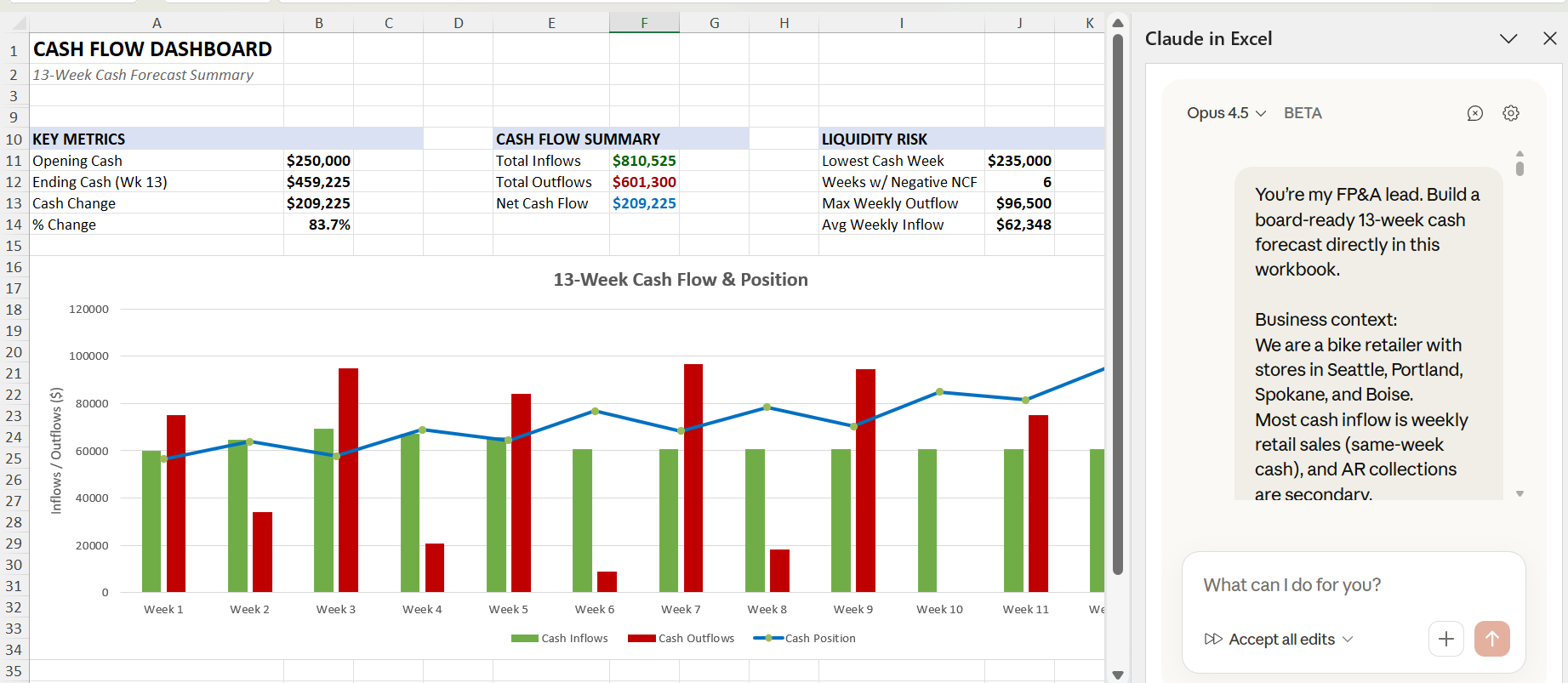
This is not just about AI in Excel.
This is about having an Excel-native AI analyst that builds, updates, and explains a CFO-grade cash flow forecast before the meeting starts.
If this gives you a mix of excitement and dread, good.
You’re exactly where you should be.
This is real value here.
Claude AI is transforming finance not with hype, but with time savings, error reduction, and better decisions.
Let’s dive in.
How to Build A Cashflow Forecast with Claude AI in Excel
For 40 years, CFOs lived in Excel hell.
Formulas breaking at 2 a.m.
Every model started in chaos.
Links pointing to dead sheets.
Scenarios rebuilt from scratch every month.
But Anthropic Claude changes everything.
For the first time, Excel can actually think with you.
Claude can build a cashflow forecast inside Excel.
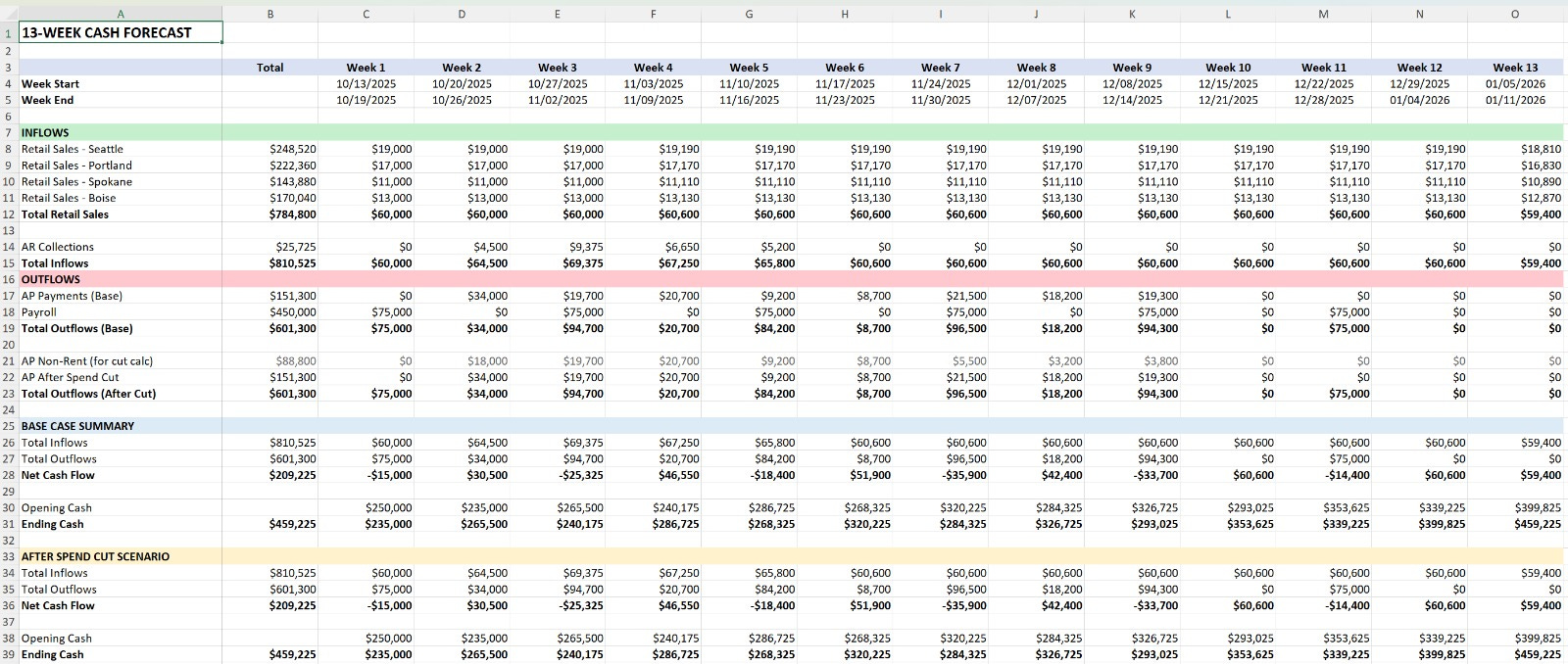
Build a 13-week rolling cashflow forecast and a dashboard with Claude AI inside Excel.
COPY-PASTE PROMPT
