

Cash flow forecasting is the one thing your board trusts least and needs most.
Your CFO team understands cash, and yet the board is not sure.
The reason is simple.
The data is scattered across your bank export, your AR aging, your AP items, payroll, sales orders, and a tax schedule that lives in someone’s inbox.
The timing is uncertain, because revenue recognized is not cash in the bank, and an invoice issued is not an invoice paid. The assumptions never get written down, so nobody can audit them later.
Scenarios are clumsy, built by hand in a copy of the copy of the model. And the weekly refresh has no reliable trail, so when a number moves, you can’t say why.
PwC says cash forecasting is about when cash actually hits the bank, not when revenue is recognized or an invoice is issued. Every sale has to land in the week the customer is expected to pay, not the week you booked it. That single distinction is where most forecasts quietly go wrong.
And it’s exactly where AI helps, if you use it right.
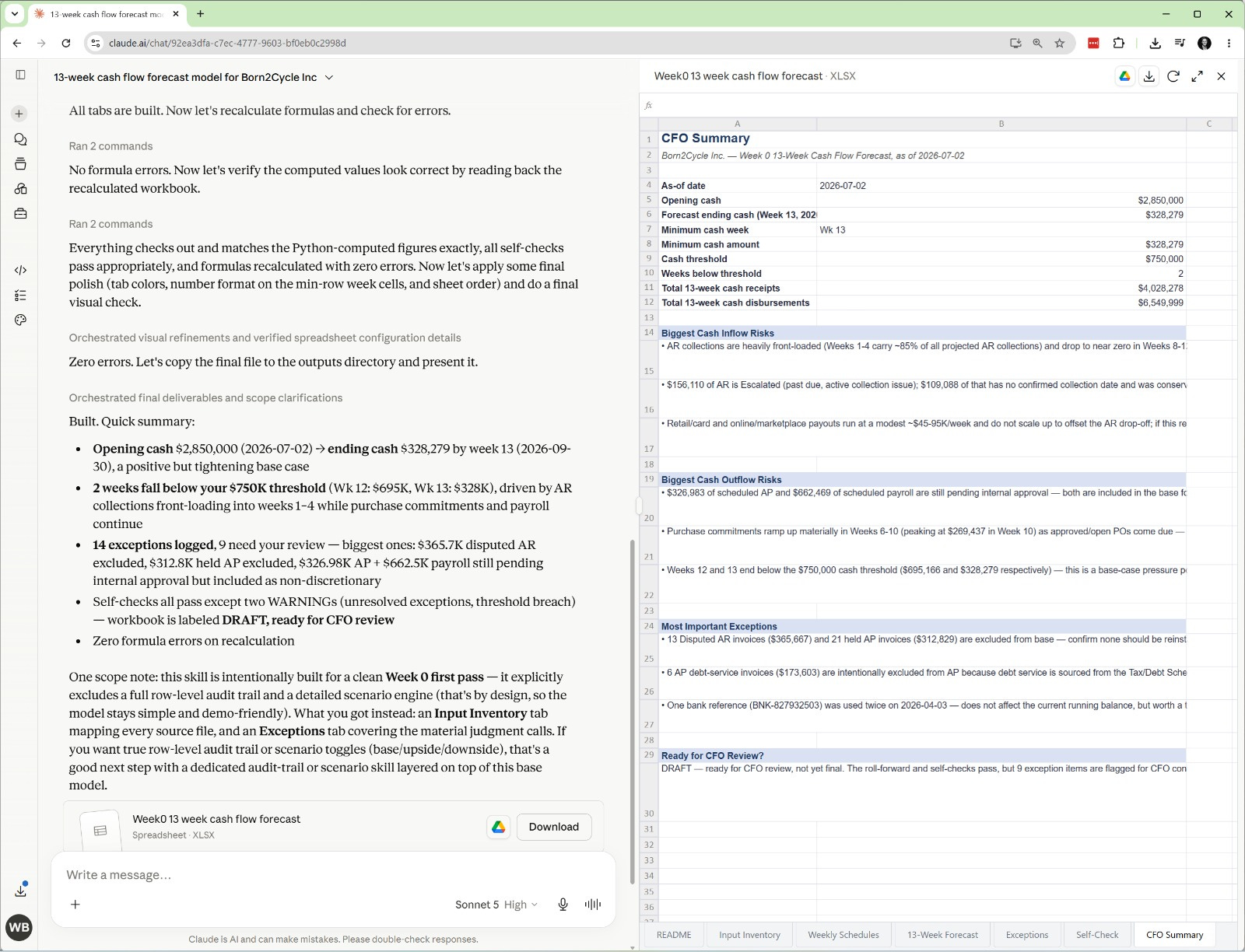
I built a full 13-week cash flow forecast with Claude.
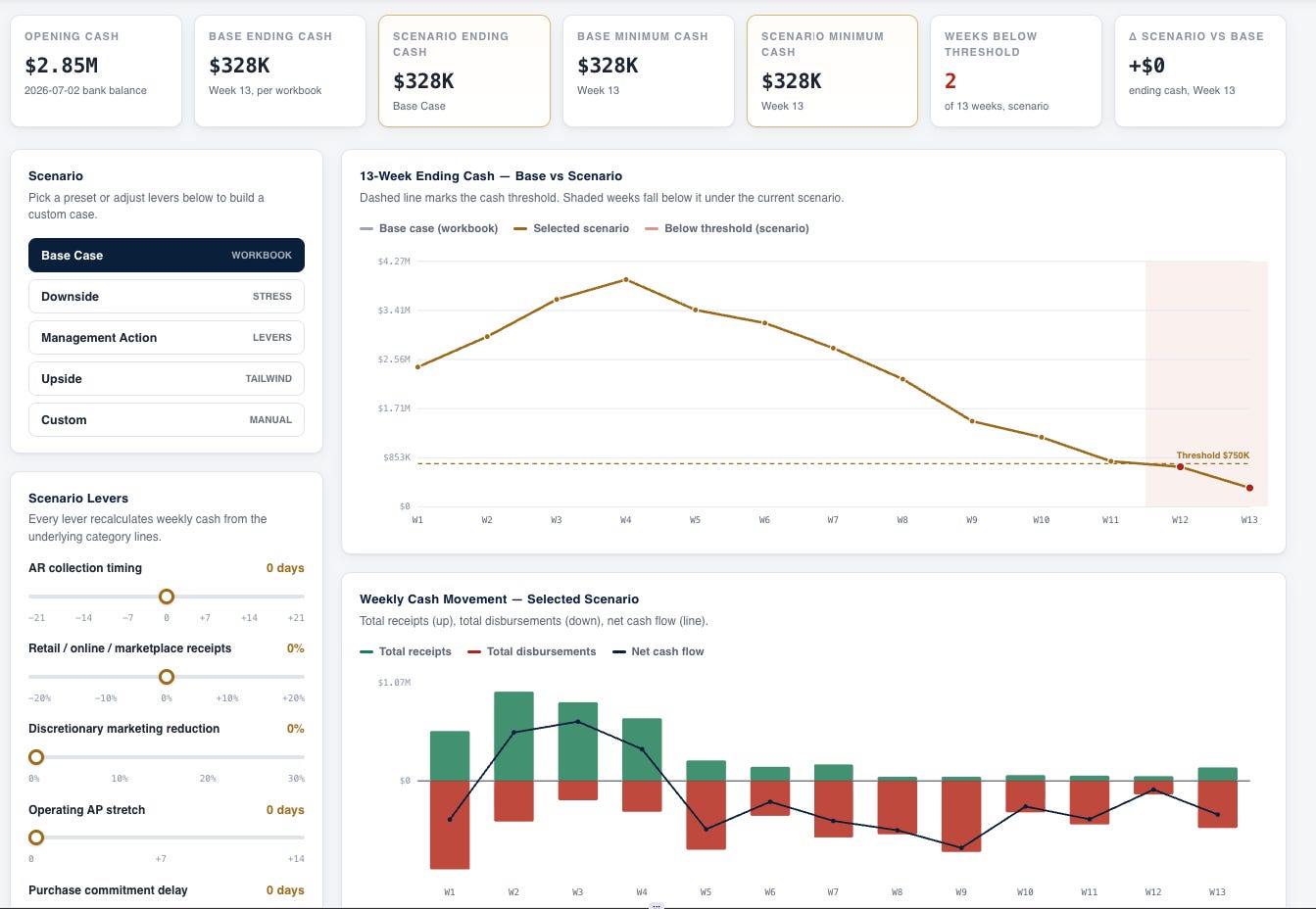
Claude kept the Excel model as the source of truth, then built an interactive dashboard that lets you stress-test cash, not just look at it.
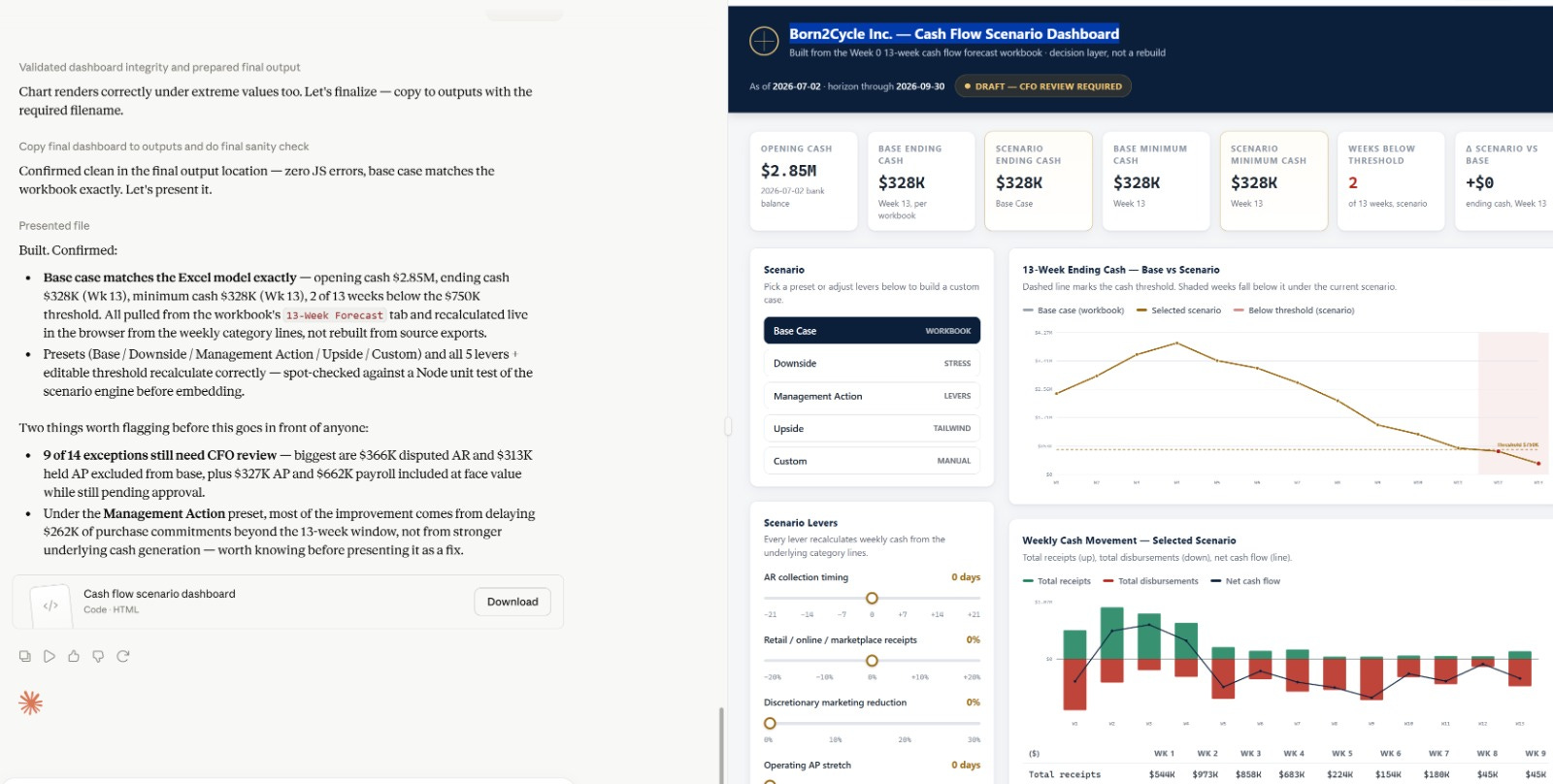
What impressed me most is what the dashboard didn’t hide.
The dashboard surfaced the exact review items, the threshold breaches, and the scenario trade-offs a CFO needs to see before making a call. It showed the weak spots instead of papering over them. That’s the difference between a dashboard that decorates a number and one you can actually decide from.
Let me show you how I built it using the cash flow model builder skill (.md) and the full prompts I used.
Let’s dive in.
How to build a cash flow forecast with Claude
Step 1: Install the cash flow model builder skill
You’ll get 2 skills and test files.
Cash flow model builder skill
Cash flow scenario dashboard skill
Download the skills below, then copy/paste the prompt to build a cash flow model.