Most CFOs run the monthly reforecast as an open loop.
Q1 closes. The controller pulls actuals. FP&A rebuilds the model. You write the updated commentary. The deck goes to the board. The new forecast goes into the planning folder.
And three weeks later, Q2 closes and the team rebuilds the model from scratch.
That is the open loop most CFOs were trained on.
The closed loop is the opposite.
Every reforecast produces a record. Every record produces a pattern. Every pattern compounds into the next cycle. The CFO at reforecast 12 walks in measurably sharper than the CFO at reforecast 1.
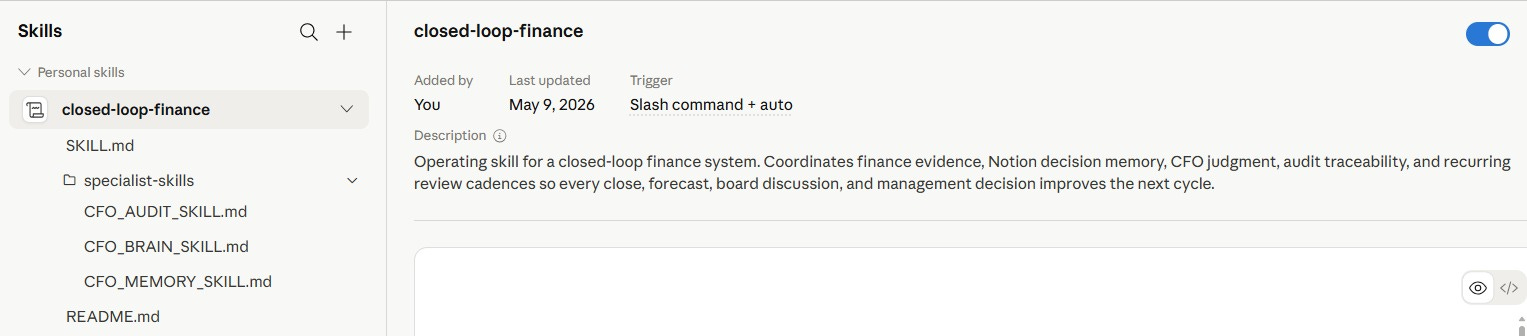
Today I am going to walk you through the closed-loop reforecast end-to-end, using a real dataset. I am sharing the full Closed Loop CFO Skill Stack that runs it.
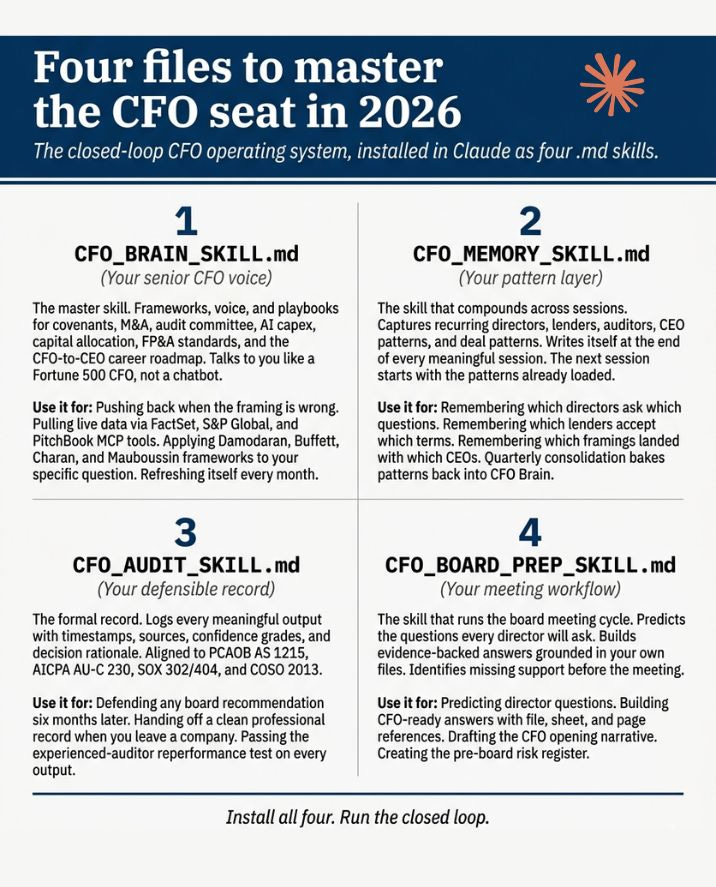
You get four files and they are self-improving.
Let me show you exactly how to install them, then walk through the reforecast.
Every CFO reading this newsletter must run this.
Let’s dive in.
Step 1: Install the Closed Loop CFO Skill Stack
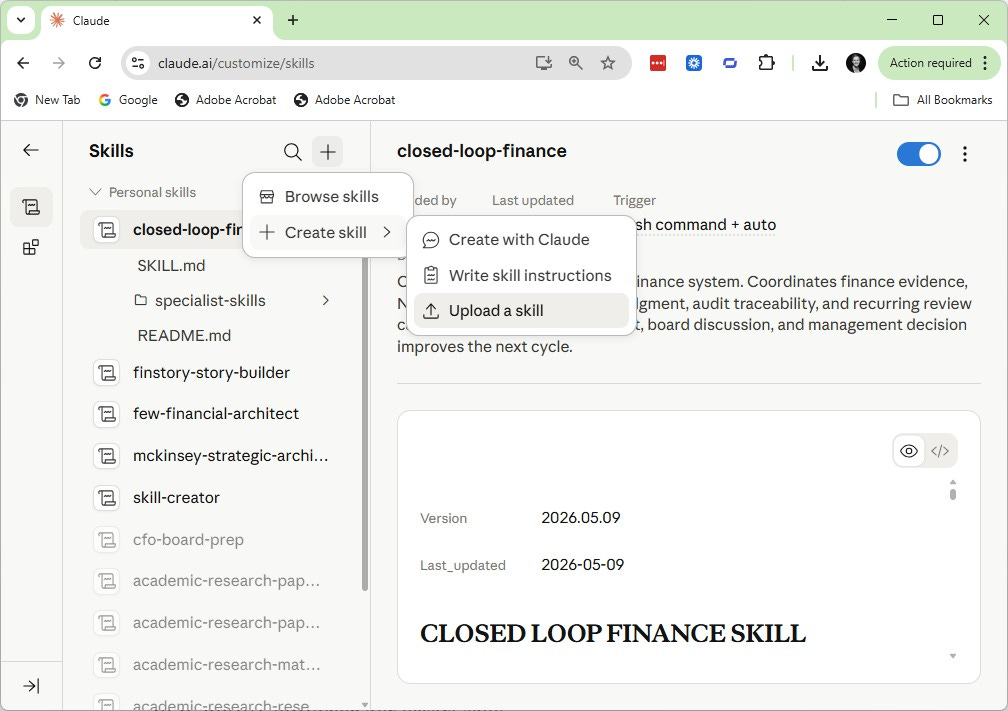
Go to claude.ai.
Click Customize in Claude.
Go to Skill Manager and click Create Skill then Upload skill.
Tell Claude what you are trying to achieve.
Paste this in the project description:
I'm a CFO. I need a strategic thought partner who thinks like a
seasoned Fortune 500 CFO. Use the CFO Brain skill, the CFO Board
Prep skill, the CFO Memory skill, and the CFO Audit Trail skill
to respond to my questions, analyze my data, push back on my
framing when I'm solving the wrong problem, predict director
questions for board meetings, remember patterns across sessions,
and log every meaningful output to a defensible audit trail.
Click Files and upload all four SKILL.md files.