

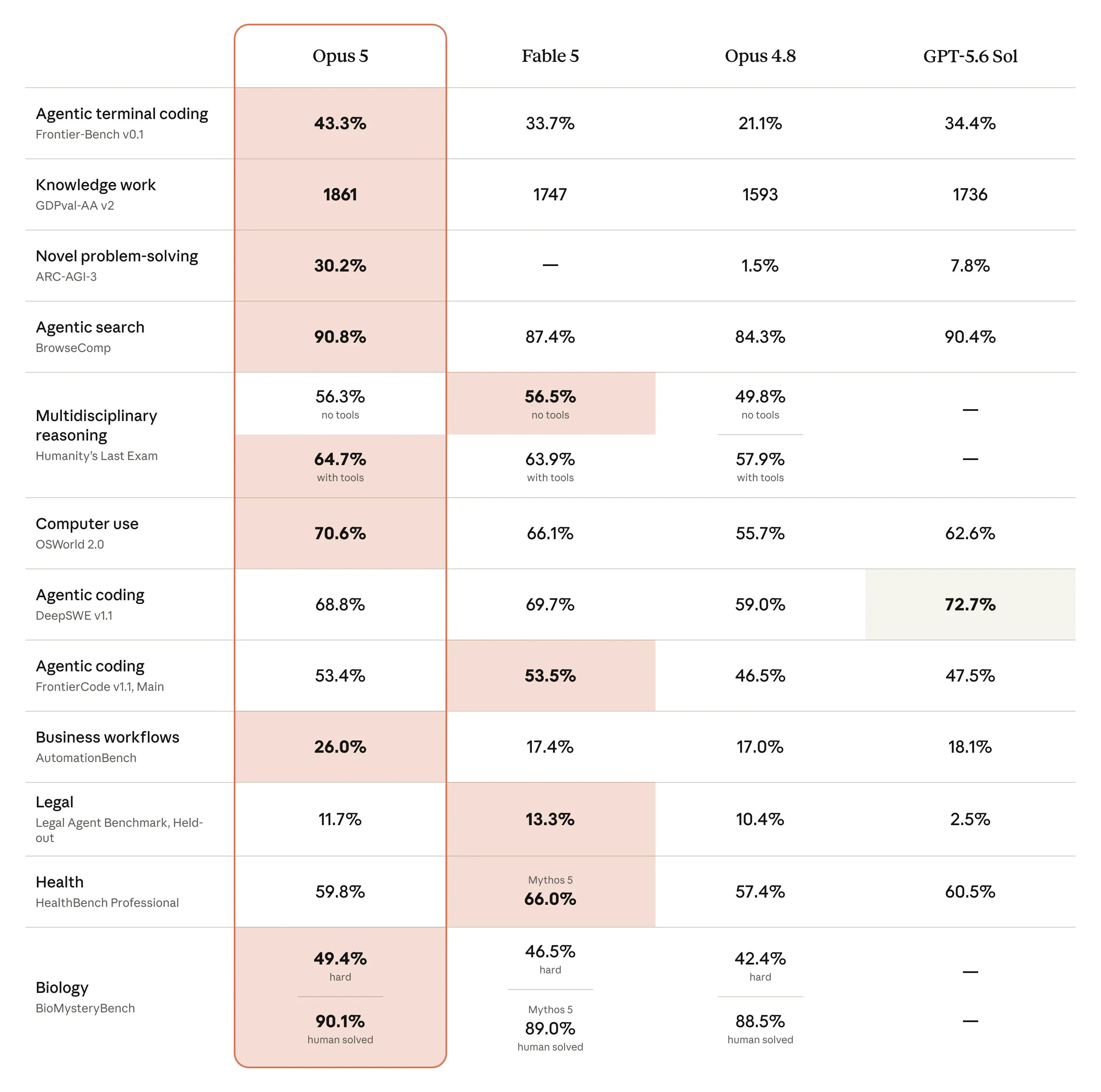
Anthropic released Opus 5.
It’s better than GPT-5.6 and its brother, Fable 5 at half the cost.
Finance would love Opus 5 for only one thing:
Claude Opus 5 is stronger at verifying its work and iterating carefully until it succeeds.
To get the best out of Claude, you must set it up like a CFO.
Claude’s configuration is five separate layers that stack.
Each one does something the layer below it can’t.
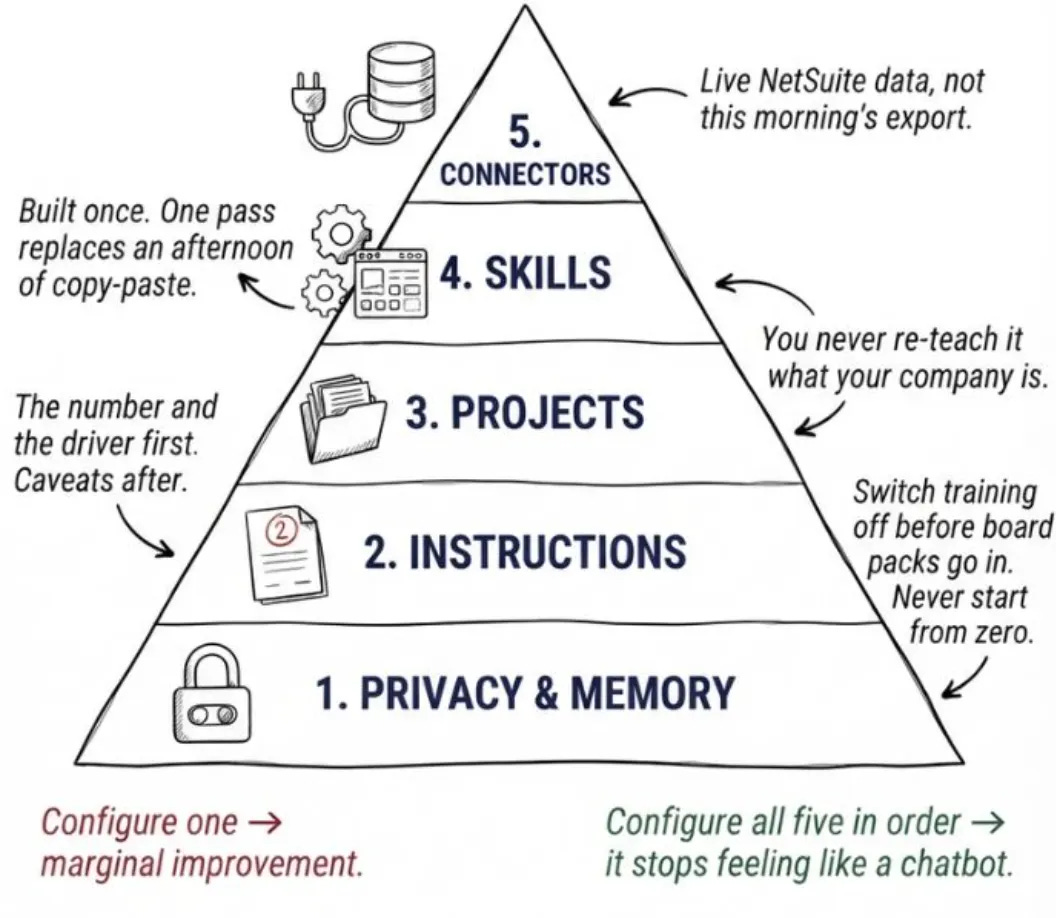
Privacy & Memory carries who you are.
Instructions teach Claude how to act like a CFO.
Projects hold your company context.
Skills build identical dashboards.
Connectors like NetSuite remove manual boring work.
Configure one and you get a marginal improvement.
Configure all five in order and the thing stops feeling like a chatbot and starts behaving like a real CFO. Not in a scary way.
Claude Opus 5 is best for every CFO
It’s more powerful than other models.
It’s the new default model on Claude Max, and the strongest model on Claude Pro.
Here is the order every CFO must follow.
Let’s dive in.