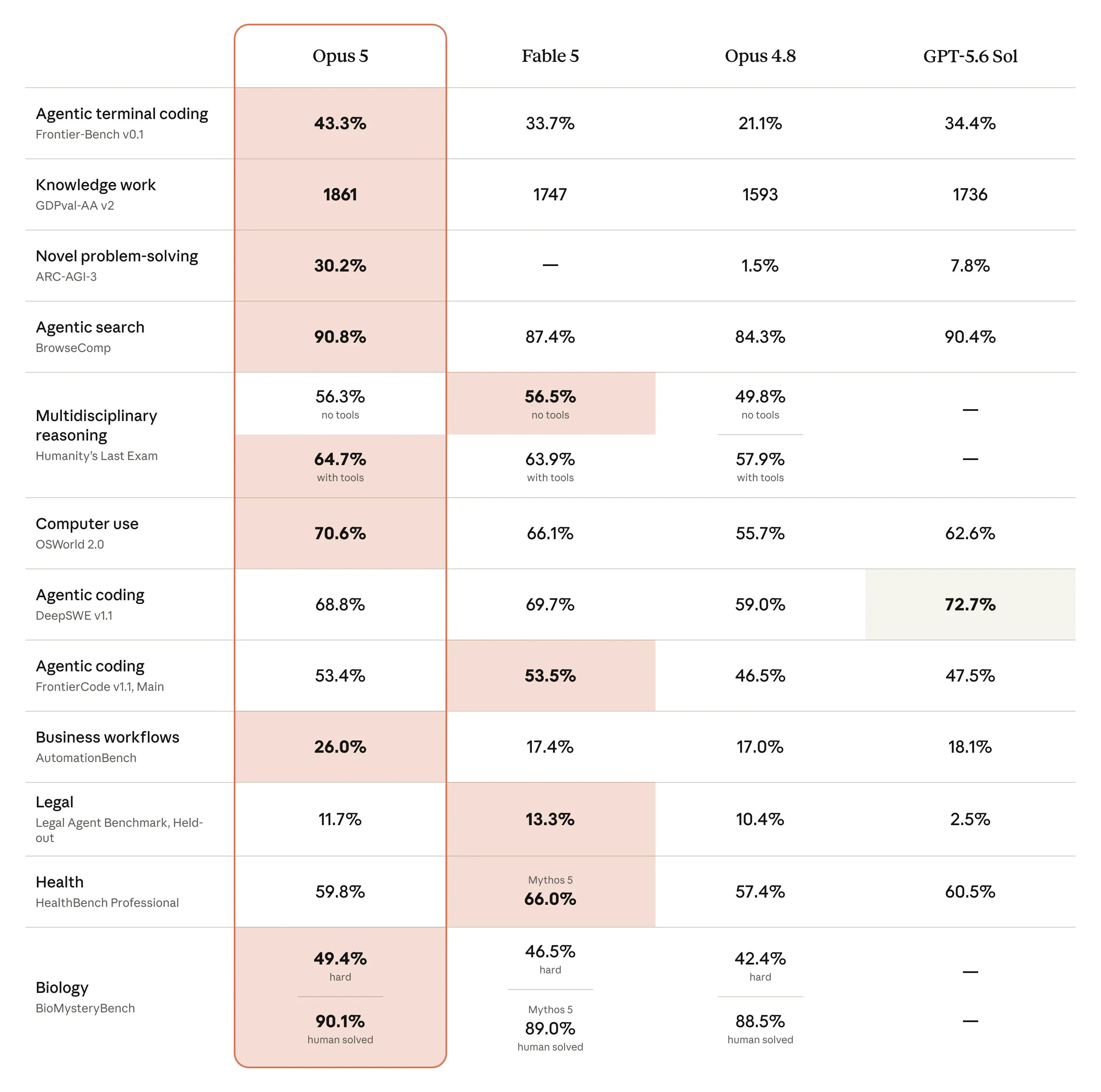
Yesterday, Anthropic released Opus 5.
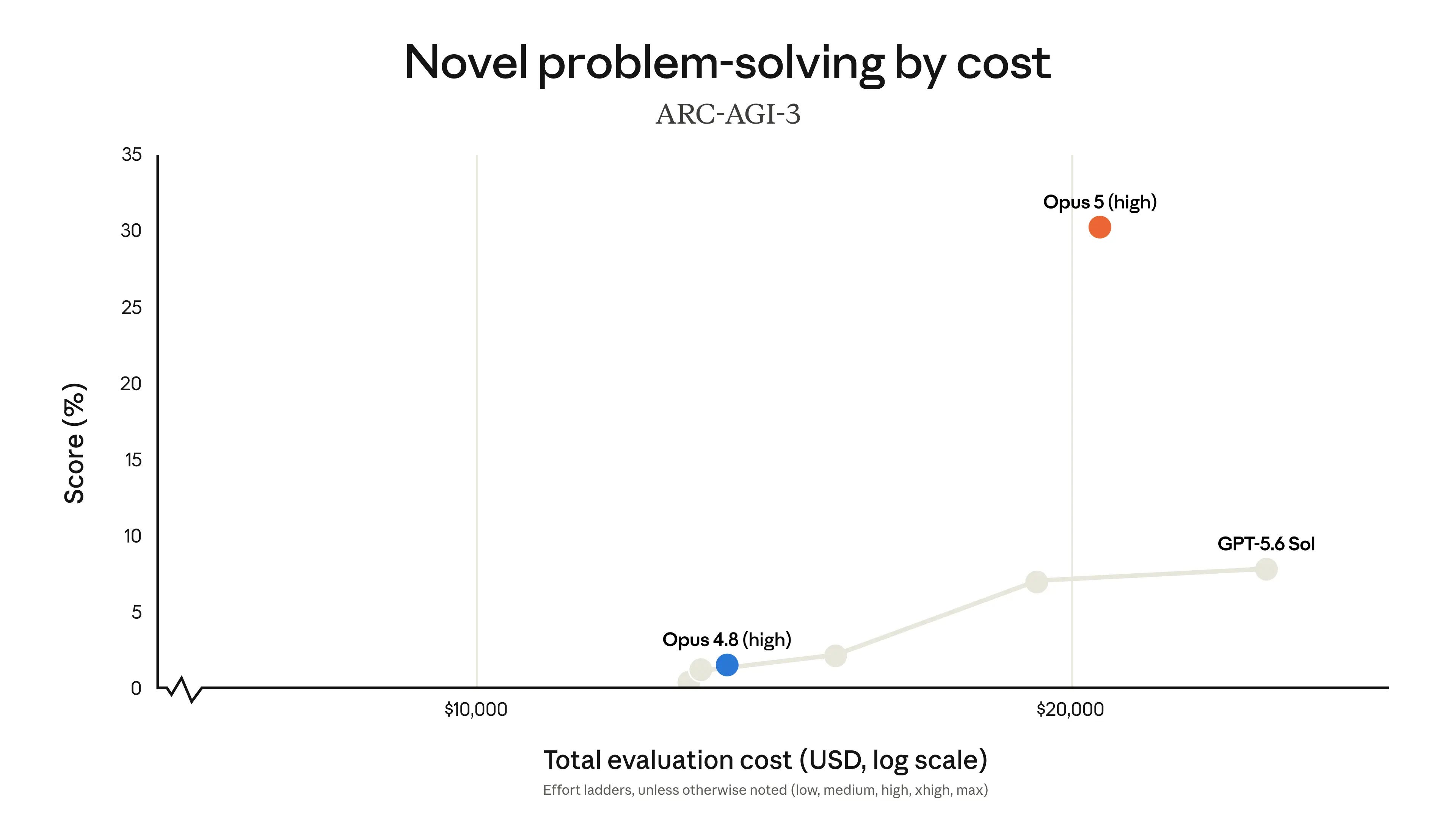
It’s better than GPT-5.6 and its brother, Fable 5 at half the cost.
Finance would love Opus 5 for only one thing:
Claude Opus 5 is stronger at verifying its work and iterating carefully until it succeeds.
To get the best out of Claude, you must set it up like a CFO.
Claude’s configuration is five separate layers that stack.
Each one does something the layer below it can’t.
Privacy & Memory carries who you are.
Instructions teach Claude how to act like a CFO.
Projects hold your company context.
Skills build identical dashboards.
Connectors like NetSuite remove manual boring work.
Configure one and you get a marginal improvement.
Configure all five in order and the thing stops feeling like a chatbot and starts behaving like a real CFO. Not in a scary way.
Here is the order every AI-native CFO must follow.
Let’s dive in.
Opus 5 is best for every CFO
It’s more powerful than other models.
It’s the new default model on Claude Max, and the strongest model on Claude Pro.